

Graphics Driver
MOD APK 1.1.4Let's build community together and explore the coolest world of APK Games/Apps.
Graphics Driver Mod APK is a tool that helps users manage Android game driver preferences, aiming to improve graphics stability and performance using built-in system drivers.
Information
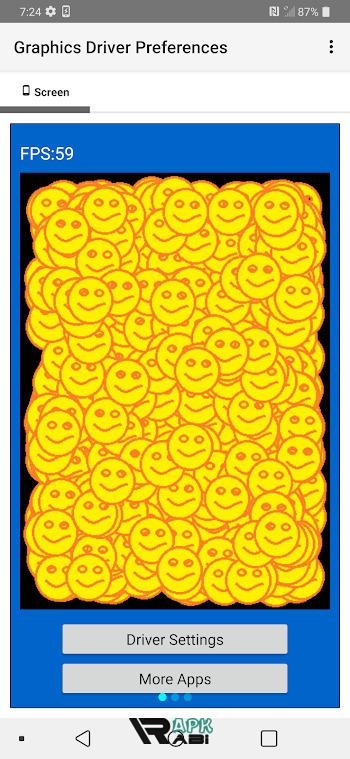
Graphics Driver Mod APK: In-Depth Guide to Android Game Driver Preferences and GPU Optimization
Modern Android devices are becoming increasingly powerful, rivaling even some entry-level PCs in terms of graphical performance. As mobile games and graphic-intensive applications evolve, developers and users alike are searching for ways to maximize GPU performance, stability, and compatibility. One concept that has gained attention in recent years is the idea behind graphics driver mod apk, which is often associated with Android’s built-in Game Driver Preferences introduced in Android 10.
While many users misunderstand what a graphics driver mod apk truly does, the reality is more nuanced. This article provides a comprehensive explanation of graphics driver modifications, how Android manages GPU drivers, what people usually mean when they search for graphics driver mode apk, and the actual benefits and limitations of driver-based optimization on Android devices.
This guide is intended for users who want technical clarity rather than exaggerated promises.
Understanding Graphics Drivers on Android
A graphics driver is a crucial software component that acts as a bridge between the operating system and the GPU (Graphics Processing Unit). On Android, graphics drivers are responsible for rendering visuals using APIs such as OpenGL ES and Vulkan.
Unlike desktop operating systems, Android graphics drivers are typically bundled with the system firmware and provided by chipset manufacturers such as Qualcomm (Adreno), ARM (Mali), or Imagination Technologies (PowerVR). This means users normally cannot replace or update GPU drivers independently without system-level access.
However, Android 10 introduced a unique system feature that changed how developers and advanced users interact with graphics drivers.
Advertisement
What Are Game Driver Preferences?
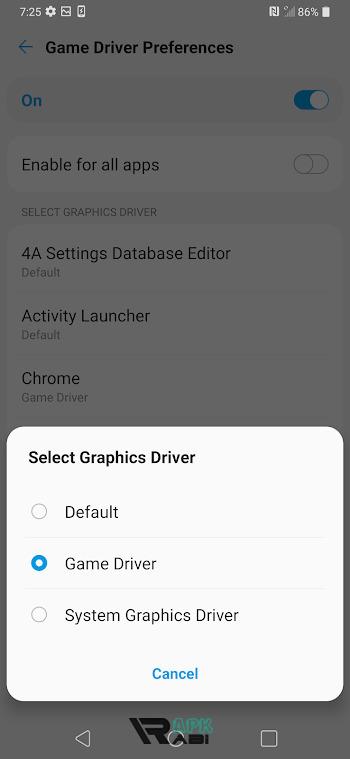
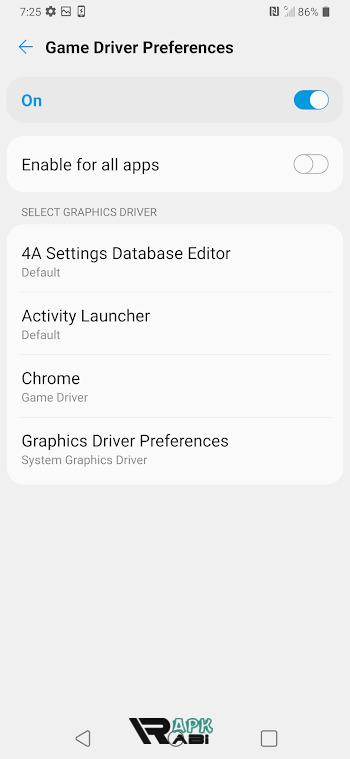
Game Driver Preferences is an Android system feature that allows the OS to choose which graphics driver a specific app should use. This functionality was primarily designed for developers to test newer or experimental GPU drivers without pushing full system updates.
Under this system, Android supports three main driver options:
-
System Graphics Driver
This is the default driver included with the device firmware. It prioritizes stability and compatibility. -
Game Driver
A newer driver package provided by the device manufacturer, optimized for gaming performance and newer graphics features. -
Pre-release or Developer Driver
An experimental driver intended for testing, often less stable but offering early access to new features.
When people talk about graphics driver mod apk, they are often referring to apps that claim to unlock, modify, or force these driver options for games and applications.
What Is Graphics Driver Mod APK?
The term graphics driver mod apk does not refer to an official Android component. Instead, it is a community-created label for applications that claim to manipulate game driver preferences, GPU behavior, or rendering pipelines.
Most graphics driver mod apk tools aim to achieve one or more of the following:
-
Force games to use a specific graphics driver
-
Enable Vulkan rendering where supported
-
Reduce rendering latency
-
Improve frame stability
-
Unlock hidden developer options
-
Modify GPU-related system properties
It is important to understand that without system-level privileges, these apps do not actually replace GPU drivers. Instead, they interact with exposed Android APIs or system settings.
Graphics Driver Mode APK Explained
The secondary keyword graphics driver mode apk is often used interchangeably with graphics driver mod apk. In practice, it usually refers to apps that allow users to switch between different driver modes supported by Android.
These modes typically include:
-
Default mode (system driver)
-
Game driver mode
-
Developer driver mode (if available)
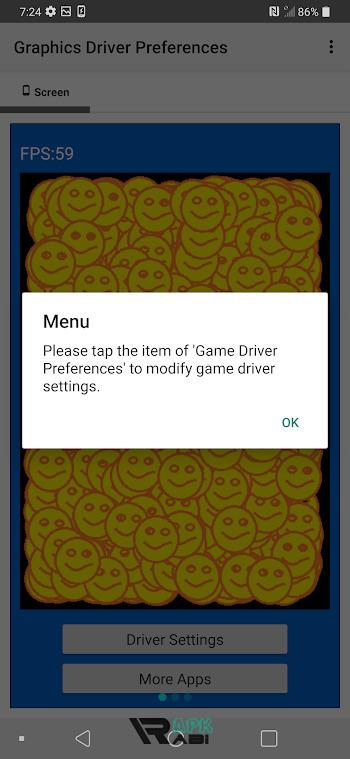
Some apps present this functionality with a simplified interface, allowing users to select a mode per application. However, the underlying mechanism still relies on Android’s built-in Game Driver Preferences.
In short, a graphics driver mode apk does not create new drivers. It only exposes existing system options in a more accessible way.
Vulkan and Graphics Driver Mod APK Claims
One of the most common claims surrounding graphics driver mod apk tools is that they can force Vulkan for better performance. Vulkan is a low-level graphics API designed to reduce CPU overhead and improve multi-threaded rendering.
The truth is more limited:
-
Vulkan can only be used if the game supports it
-
The GPU and driver must support Vulkan
-
The system decides API usage, not third-party apps
A graphics driver mod apk cannot magically enable Vulkan for games that do not support it. What these apps may do is encourage the system to prioritize drivers optimized for Vulkan when available.
Performance Expectations and Realistic Outcomes
Many users expect dramatic performance boosts from using a graphics driver mod apk. In reality, performance gains are often subtle and depend on several factors:
-
Device chipset and GPU
-
Android version
-
Game engine optimization
-
Thermal throttling
-
RAM and CPU limitations
Possible improvements include:
-
Slightly better frame pacing
-
Reduced stuttering in some games
-
Improved compatibility with newer games
-
Minor FPS stability improvements
Advertisement
However, no app can bypass hardware limitations or transform a low-end GPU into a high-end one.
Stability vs Performance Trade-Off
Using non-default driver modes can sometimes introduce instability. Experimental or game drivers may cause:
-
Visual glitches
-
Crashes in older games
-
Increased battery drain
-
Higher device temperature
This is why Android allows driver selection on a per-app basis. Users can experiment with one game without affecting the entire system.
A responsible approach to graphics driver mod apk usage involves testing carefully and reverting changes if issues appear.
Android Security and System Restrictions
Android’s security model heavily restricts access to low-level system components. Without root access, third-party apps cannot:
-
Replace GPU drivers
-
Modify kernel-level GPU behavior
-
Access protected system partitions
Therefore, any graphics driver mod apk claiming full driver replacement without root access is misleading. These apps operate within the sandbox provided by Android.
This design protects users from system instability and security risks but also limits the extent of optimization possible.
Developer Perspective on Game Drivers
From a developer standpoint, Game Driver Preferences exist to:
-
Test compatibility with newer drivers
-
Improve graphics API support
-
Debug rendering issues
-
Prepare apps for future Android versions
Developers can bundle custom drivers for testing, but end users typically interact only with the drivers approved by the device manufacturer.
This context explains why graphics driver mod apk tools are limited in scope.
Device Compatibility Considerations
Not all Android devices support advanced game driver options. Availability depends on:
-
Android version (Android 10 or higher)
-
Manufacturer support
-
GPU vendor
-
Firmware configuration
Some devices may show game driver options in Developer Settings, while others hide them completely. In such cases, graphics driver mode apk tools may not function as expected.
Battery Life and Thermal Impact
Changing graphics driver behavior can affect power consumption. Game-optimized drivers often push the GPU harder, which can lead to:
-
Faster battery drain
-
Increased heat output
-
Thermal throttling during long gaming sessions
Users focused on long-term device health should balance performance tweaks with thermal and battery considerations.
Myths Surrounding Graphics Driver Mod APK
There are several persistent myths associated with graphics driver mod apk tools:
Myth 1: They permanently upgrade your GPU
Reality: They do not change hardware capabilities.
Myth 2: They guarantee higher FPS in all games
Reality: Performance depends on many factors beyond drivers.
Myth 3: They unlock hidden GPU power
Reality: Android already uses optimized drivers by default.
Myth 4: They are the same as PC GPU drivers
Reality: Mobile GPU driver management is fundamentally different.
Understanding these myths helps users make informed decisions.
Ethical and Legal Considerations
While many graphics driver mod apk tools operate within legal boundaries, some may:
-
Violate app store policies
-
Use misleading descriptions
-
Encourage unsafe system modifications
Users should remain cautious and prioritize apps that clearly explain what they do without exaggerated claims.
Future of Graphics Driver Optimization on Android
As Android continues to evolve, GPU optimization is becoming more automated. Technologies such as:
-
Improved Vulkan support
-
Dynamic performance scaling
-
Game mode enhancements
-
AI-driven performance management
are reducing the need for manual driver tweaking. Future Android versions may further limit third-party access to driver settings in favor of system-level optimization.
Conclusion
The concept of graphics driver mod apk is rooted in Android’s Game Driver Preferences system rather than true driver modification. These tools can help users access existing driver options, experiment with game-specific settings, and potentially achieve minor performance or stability improvements.
Similarly, graphics driver mode apk applications mainly act as interfaces for selecting available driver modes rather than creating new ones. While they can be useful for advanced users, expectations should remain realistic.
True graphics performance depends on hardware, software optimization, and system-level design. No application can override these fundamentals. Understanding how Android graphics drivers work allows users to make smarter choices, avoid misinformation, and optimize their gaming experience safely and effectively.
Let's build community together and explore the coolest world of APK Games/Apps.






1. This is the safest site on the Internet to download APK. 2. Don't ask about the Play Protect warning, we've explained it well, check here. 3. Do not spam, be polite and careful with your words.